
If you’re just starting to work withPower Query, Append and Merge are among the most important actions worth understanding early.
1. When to use Append (add rows)
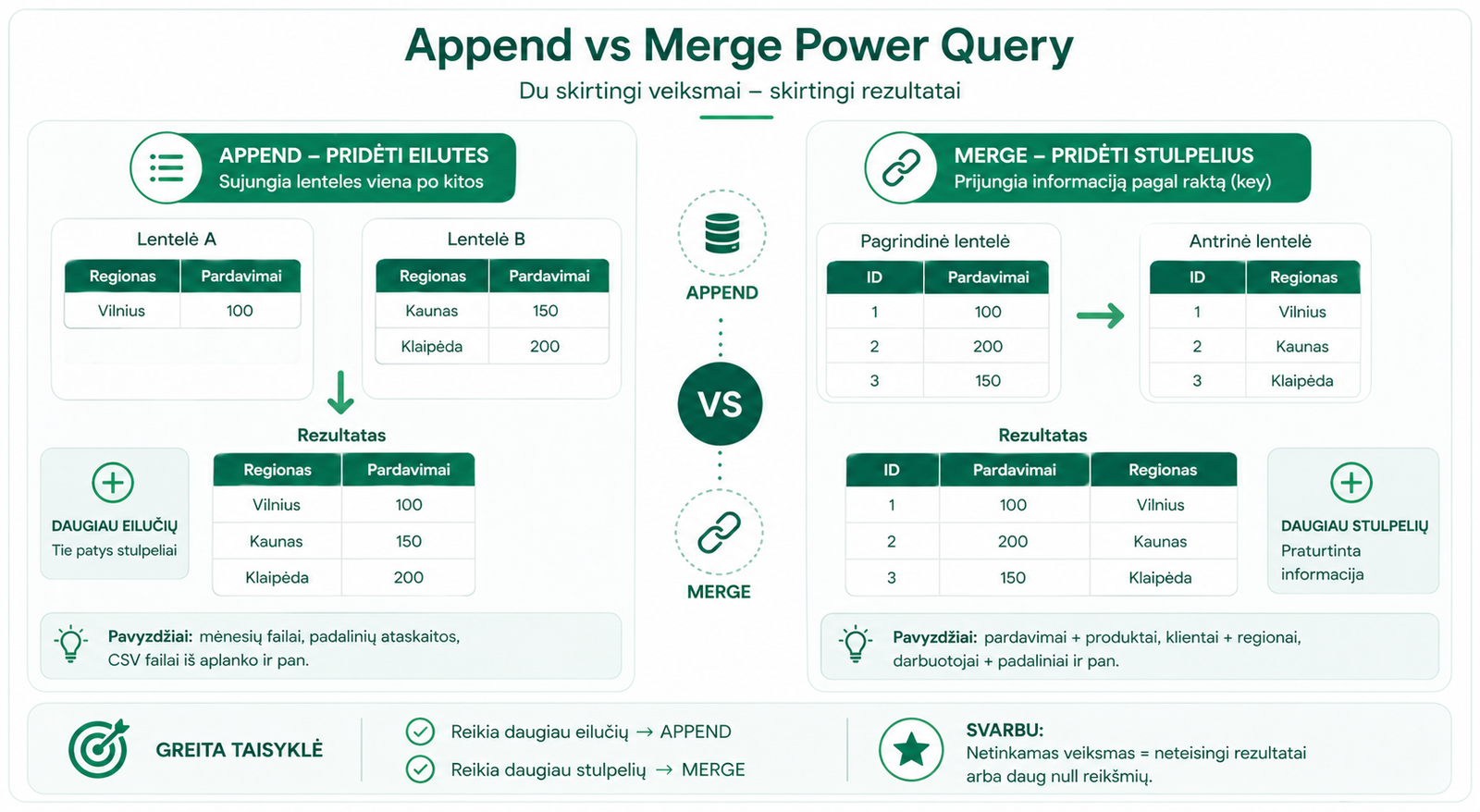
Appendis used when you have several tables with the same structure and want to stack them one after another.
Examples:
- January, February and March sales in separate files
- reports from several departments with the same columns
- CSV or Excel files from one folder
Append is often used together with automatic file combining, when you need tocombine several files from a folder in Power Query.
Result:more rows, but the same columns.
Home → Append Queries → select “Two tables” or “Three or more tables”.
2. When to use Merge (join columns)
Mergeis used when you want to add extra information from another table to one table by a common key.
Examples:
- sales + product table
- customers + regions
- employees + departments
Result:more columns, because the main table is supplemented with new information.
Home → Merge Queries → select the primary and secondary table → mark the key columns.
3. The key – the most important thing in Merge
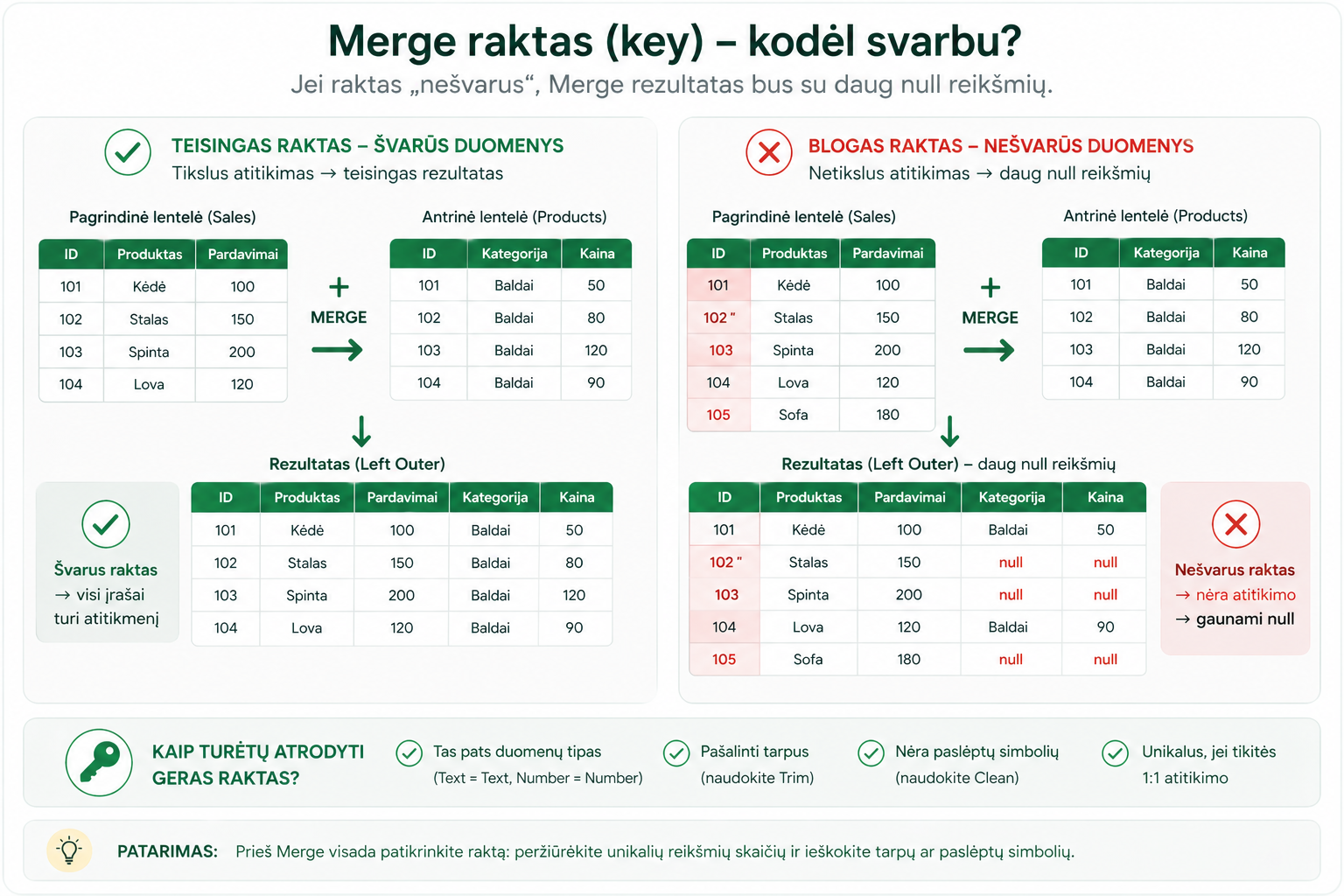
The quality of a Merge is usually determined by the key column. If the key is messy, the result can have manynullvalues.
- check that the key is the same type in both tables
- remove unnecessary spaces with Trim
- check that there are no hidden characters
- make sure there are no duplicates if you expect a “one-to-one” relationship
For managing keys, it often helps to useText Transformations in Power Query, especially the Trim, Clean and Replace Values actions.
4. Join types, simply
In the Merge window you can choose different Join types. The most important ones to start with are:
- Left Outer– keeps all rows from the first table and adds matches from the second.
- Inner– keeps only the rows that match in both tables.
- Full Outer– keeps all rows from both tables, even if they don’t match.
5. Common mistakes
- Append is used when Merge is actually needed
- Merge is done on the wrong column
- the keys look the same, but one table has spaces or a different data type
- after Merge the joined column isn’t expanded
- you expect a single result, but the key has duplicates
Before merging tables, it’s worth preparinga proper dataset, because it reduces the chance of errors.
6. A quick rule
- Need more rows →Append
- Need more columns →Merge
Append adds rows.
Merge joins columns by a key.
If Merge gives manynullvalues, the problem is usually in the key.
What to read next
- How Power Query automatically combines files from a folder
- Text Transformations in Power Query
- A proper dataset in Power Query
Conclusion
Append and Merge are not the same. Append is used when you want to add more rows, while Merge is used when you want to join additional columns from another table.
If you remember this rule and check the key before Merge, you’ll avoid most errors in Power Query.
Power Query cheat sheet: automate your report
The key steps, the 5 common mistakes, and when automating is worth it.
- PDF · 2 pages, practical
- No spam — value only