
When building Power BI reports, the biggest work often happens even before the visualizations or DAX formulas. If the data is messy, the analysis will be inaccurate, even if the charts look nice.
That’s why one of the first steps in a Power BI project is Power Query – the place where data is cleaned and prepared for analysis.
What ETL is
ETL stands forExtract, Transform, Load. These are the three main stages of data preparation:
- Extract– data is taken from sources: Excel, CSV, SQL, API, SharePoint or other systems.
- Transform– data is cleaned, merged, filtered, renamed and prepared for analysis.
- Load– the tidied data is loaded into the Power BI model.
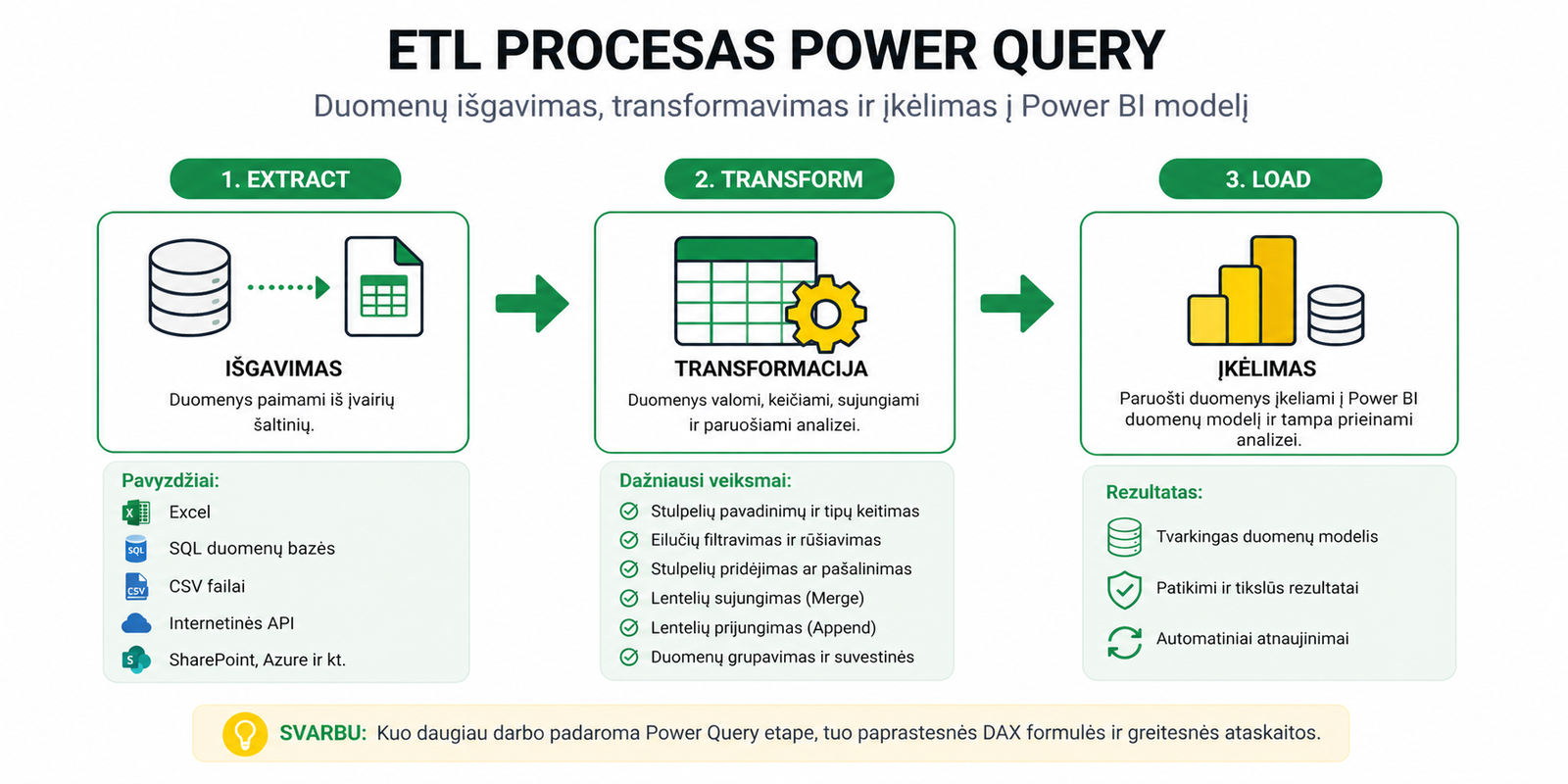
Simply put, ETL is the path from raw data to an analysis-level dataset.
How Power Query performs the ETL process
Power Query lets you build data-preparation steps that are then repeated automatically every time the data is refreshed.
This means that once you set up the process, you don’t have to manually clean the same files every month.
A good ETL process starts froma proper dataset, because the entire further model depends on the data structure.
The most common Power Query actions
During a Power Query transformation, the following actions are most often performed:
- removing unnecessary columns
- changing data types
- tidying up text fields
- date transformations
- merging or appending tables
- grouping and building summaries
For joining tables, theMerge and Append actionsare often used, and for data summaries –Group By in Power Query.
Common mistakes
- dates or numbers are left as text
- too many unnecessary columns are loaded into the model
- data is tidied manually instead of using automated steps
- too much logic is moved into DAX, when it’s better done at the Power Query stage
One of the most common problems is incorrect data types. More on this:Changed Type and Remove Columns pitfalls in Power Query.
Why ETL matters in the Power BI model
Power Query prepares the data for the model, and the model lets Power BI calculate results correctly. If the ETL stage is done poorly, the problems later carry over into relationships, DAX formulas and visualizations.
That’s why after Power Query it’s also important to understandthe Power BI data model and relationships.
Only then is it worth moving on toDAX formulas, which rely on the already-prepared data model.
What to read next
Conclusion
Power Query is the foundation of the whole Power BI project. It lets you extract, tidy up and load data so that it’s later easier to build the model, formulas and reports.
In short: the more quality work is done at the Power Query stage, the smoother the whole Power BI analysis process will be.
Power Query cheat sheet: automate your report
The key steps, the 5 common mistakes, and when automating is worth it.
- PDF · 2 pages, practical
- No spam — value only