
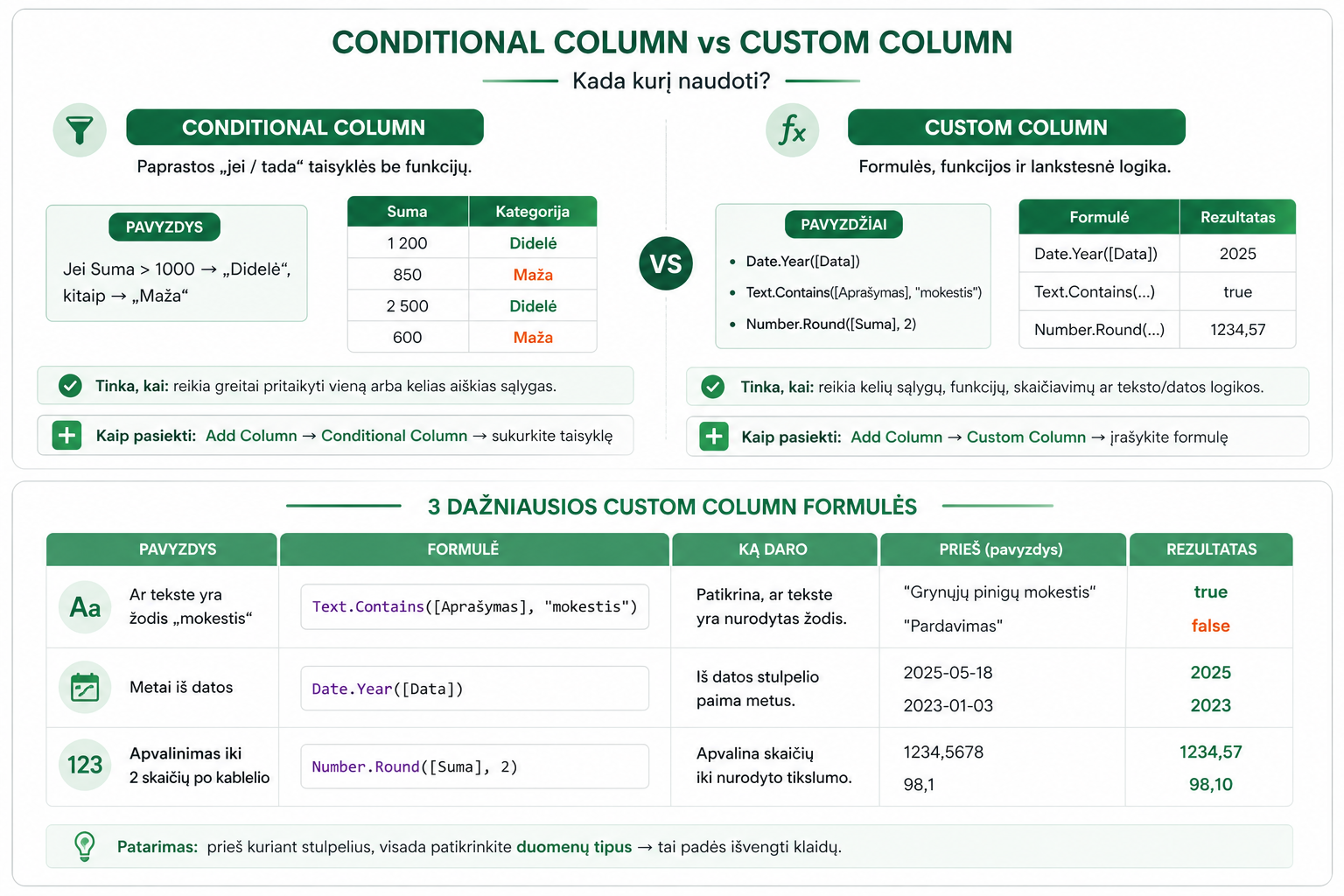
Conditional Columnis suited to simple “if / then” rules, whileCustom Column– is for when you need functions and more flexible logic.
Contents:
If you’re just starting to work withPower Query, it’s important to understand the difference between Conditional and Custom Column.
1. Conditional Column – for simple rules
Conditional Column lets you build logic without code – using an “if / else” principle through a visual interface.
- If the amount > 1000 → “Large”
- If city = Vilnius → “Vilnius”
- If the date is this month → “This month”
How to get there:
Add Column → Conditional Column
Add Column → Conditional Column
2. Custom Column – when you need more flexibility
Custom Column lets you write M language formulas and perform more complex calculations and logic.
- Combinations of multiple conditions
- Text functions
- Date calculations
- Mathematical operations
How to get there:
Add Column → Custom Column
Add Column → Custom Column
3. When to choose which
- Simple logic →Conditional Column
- More complex logic →Custom Column
4. 3 common Custom Column examples
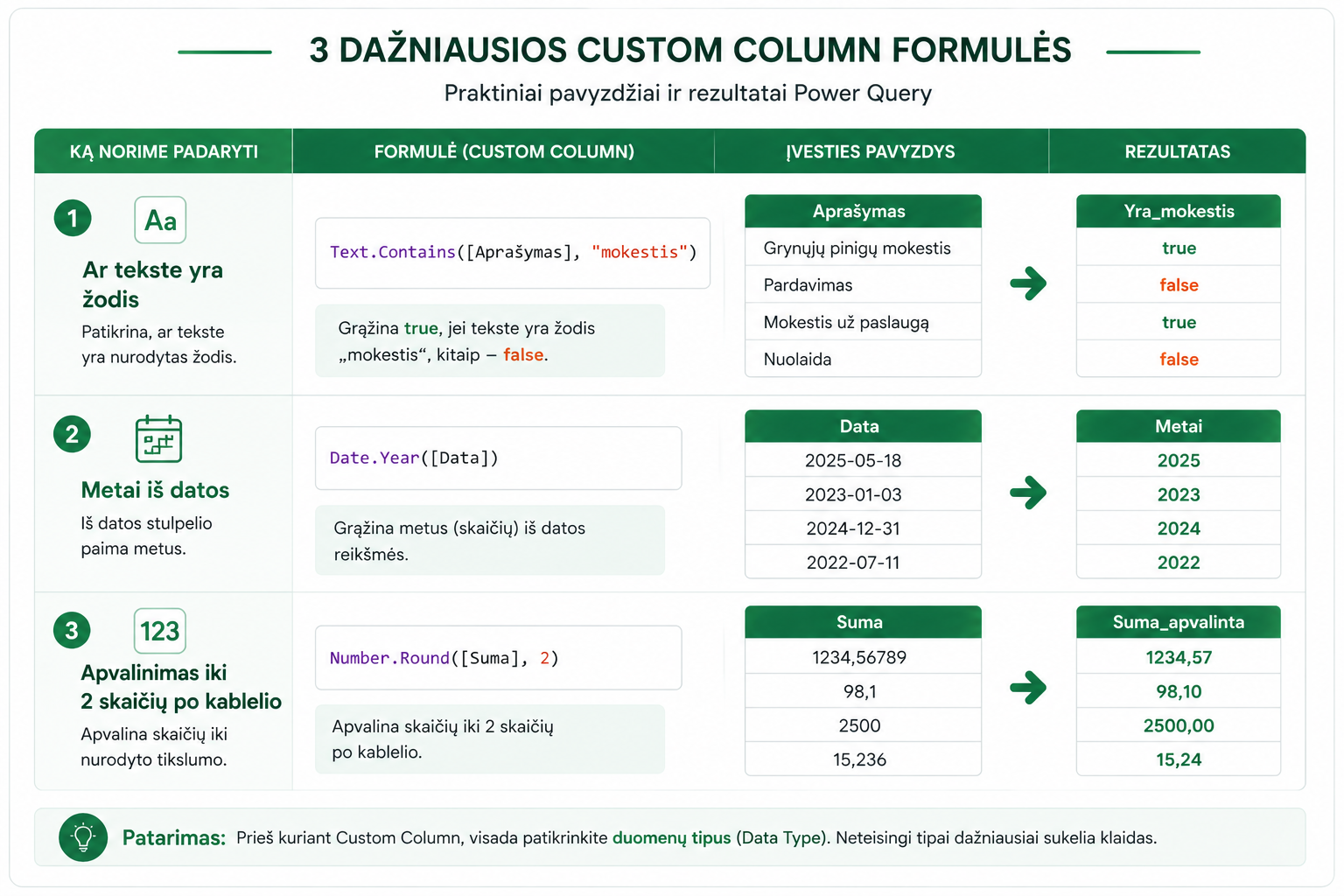
Whether the text contains a word:
Text.Contains([Description], “fee”)
Year from a date:
Date.Year([Date])
Rounding:
Number.Round([Amount], 2)
These functions are often used together withText Transformations in Power Query.
5. A common mistake – data types
If you get an error, the most common cause is data types:
- A number stored as text
- A date stored as text
More on this:Changed Type and Remove Columns pitfalls in Power Query
In short:
Conditional Column = simple logic without code
Custom Column = formulas and flexibility
If you get an error – first check the data types
Conditional Column = simple logic without code
Custom Column = formulas and flexibility
If you get an error – first check the data types
What to read next
Free cheat sheet
Power Query cheat sheet: automate your report
The key steps, the 5 common mistakes, and when automating is worth it.
- PDF · 2 pages, practical
- No spam — value only
No spam. Unsubscribe anytime.