If you’re just starting with DAX – I first recommend reading:an introduction to DAX. There you’ll understand the general logic, and here we move on to specific functions.
It’s also important to understand context:row vs filter context, because COUNT functions often depend on filters.
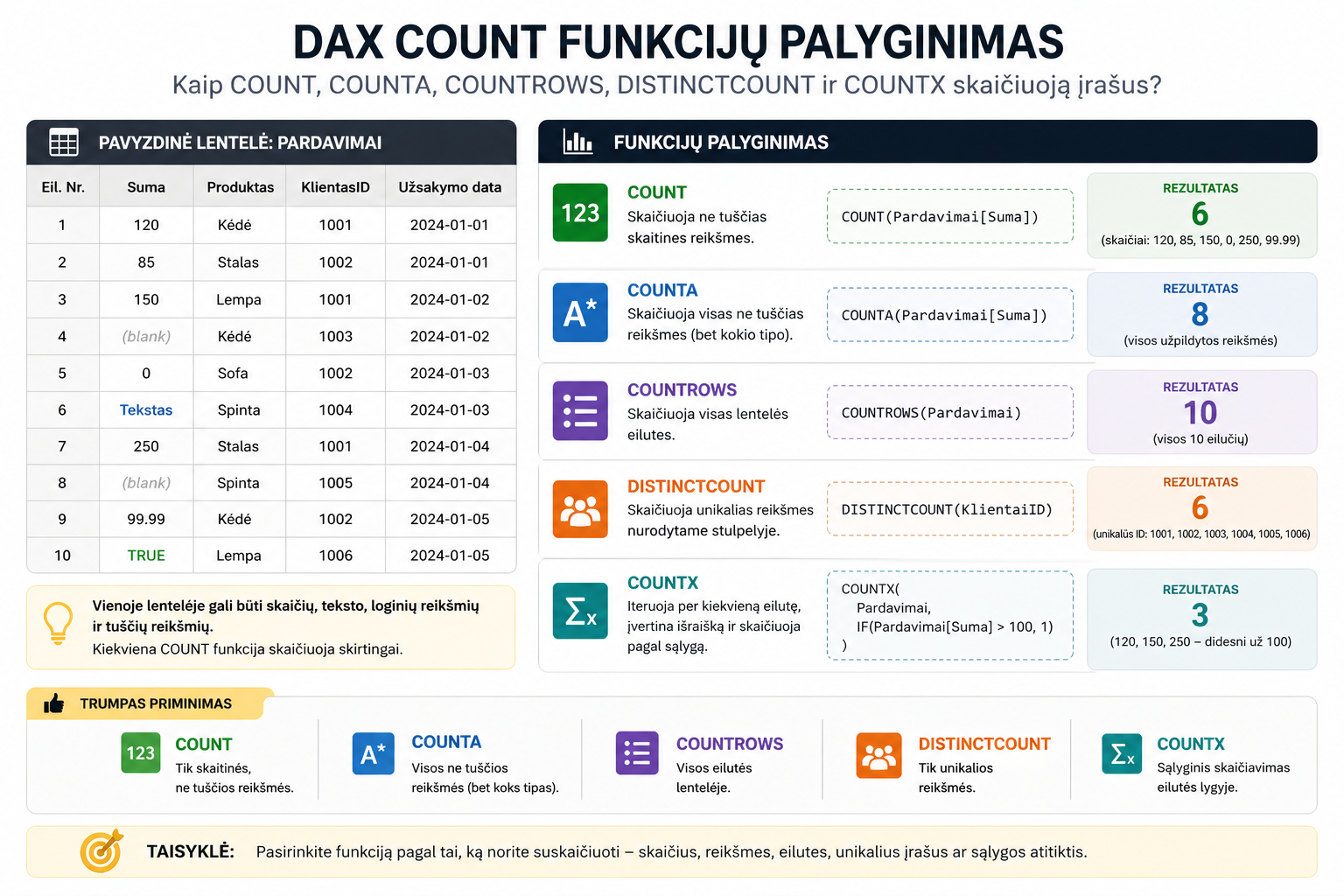
COUNT
COUNTcounts only numeric values.
If the column contains text – it’s ignored. That’s why this function is often used too rarely in real projects.
COUNTA
COUNTAcounts all non-empty values.
Suitable when you have text, IDs or mixed data.
COUNTROWS
COUNTROWS– one of the most important DAX functions.
It counts rows regardless of the columns.
DISTINCTCOUNT
DISTINCTCOUNTcounts unique values.
For example, the number of unique customers is one of the most common business metrics.
COUNTX
COUNTX– an iterating function (more on them here):DAX X functions
Lets you count by a condition – similar to Excel’s COUNTIF.
When to use which?
- COUNT→ only for numbers
- COUNTA→ for all data
- COUNTROWS→ almost always the best choice
- DISTINCTCOUNT→ for unique records
- COUNTX→ for conditional counting
What to read next
Conclusion
COUNT functions are simple, but their differences are critically important. The wrong function can give a completely wrong result.
Once you understand these functions together with CALCULATE and controlling the filter context, you’ll be able to build much more accurate and advanced Power BI analyses.
Power Query cheat sheet: automate your report
The key steps, the 5 common mistakes, and when automating is worth it.
- PDF · 2 pages, practical
- No spam — value only