If you’re just starting with DAX – it’s worth first reading:an introduction to DAX.
It’s also very important to understand:row and filter context, because iterators are directly related to that.
How iterating functions work
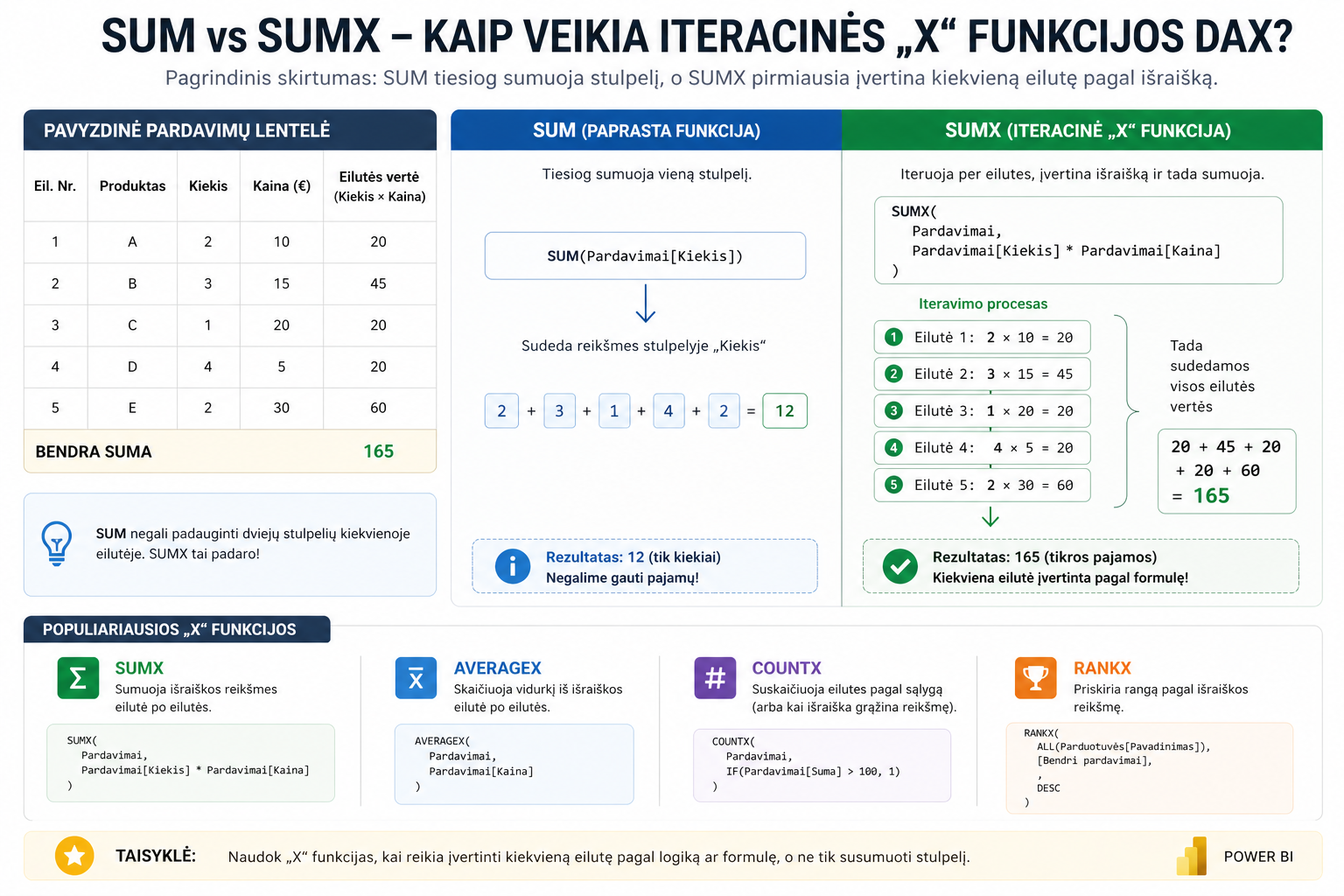
“X” functions (SUMX, COUNTX, AVERAGEX, RANKX) go through each row of the table, calculate a value and only then summarize the result.
This lets you perform calculations that are impossible with simple functions.
The difference between SUM and SUMX
SUMsimply sums a column:
SUMXfirst calculates each row:
This means SUMX lets you calculate real revenue, not just quantities.
The main X functions
- SUMX– calculates a sum by a formula
- AVERAGEX– calculates an average by an expression
- COUNTX– counts by a condition (more:COUNT functions)
- RANKX– assigns a rank
A RANKX example
Here ALL is used – more on it:controlling the filter context
When to use iterators
- When you need to calculate across several columns
- When you need conditional calculations
- When you need ranking or KPIs
Such calculations are often used when building:KPIs.
What to read next
Conclusion
“X” functions are one of the most important steps in moving to a higher DAX level.
Once you understand them together with the CALCULATE function, you’ll be able to build advanced Power BI models and analysis.
Power Query cheat sheet: automate your report
The key steps, the 5 common mistakes, and when automating is worth it.
- PDF · 2 pages, practical
- No spam — value only