
„Excel or Power BI?” is one of the most common questions once reports start to grow. And it’s usually asked the wrong way: as if you had to pick one and give up the other.
In reality it’s not „either–or”, but a question of „when”. Both tools serve different stages, and the path usually leads from one to the other.
1. The question is often wrong: not „either”, but „when”
Excel and Power BI aren’t competitors – they’re stages of the same journey. Excel is great for the start and for most day-to-day reports. Power BI is for when you outgrow what Excel can do comfortably.
So instead of „which is better?”, it’s more useful to ask „which do I need right now?”.
2. When Excel + Power Query is enough
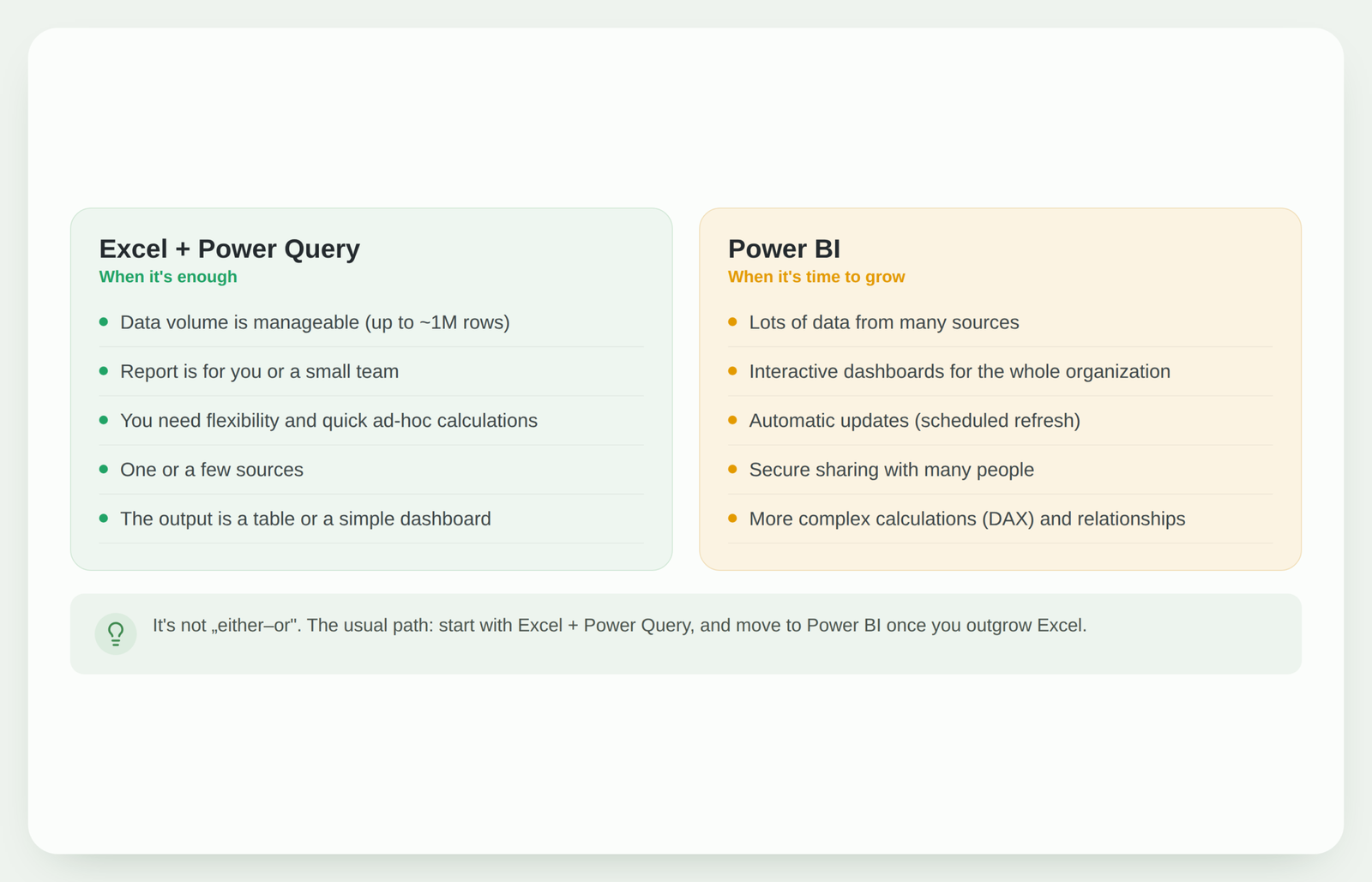
Excel with Power Query is the right choice when the data volume is manageable, the report is for you or a small team, and you need flexibility and quick calculations. One or a few sources, and the output is a table or a simple dashboard.
For most companies this covers the bulk of the needs. And importantly: Power Query already provides automation – you don’t need Power BI just to make a report refresh at the click of a button.
3. When it’s time to move to Power BI
Power BI becomes valuable when there’s a lot of data coming from many sources, when you need interactive dashboards for the whole organization, scheduled automatic refresh and secure sharing with many people. Also – when calculations get more complex and you need relationships between several tables (DAX).
If you recognize several of these signs, you’re probably already pushing Excel to its limits.
4. The good news: part of the skill travels with you
Power Query is the same engine in both Excel and Power BI. That means everything you learned preparing data in Excel applies directly in Power BI too.
The move isn’t „learning from scratch” – it’s more like adding a new layer on top of what you already know.
5. How to move without the pain
You don’t have to migrate everything at once. The best path is to pick the one report that has outgrown Excel the most and move it to Power BI. You bring the data prep (Power Query) over almost unchanged, and only learn the visualization and sharing parts anew.
That way you grow gradually, instead of flipping the whole process overnight.
What to do next?
If you’re not sure which side you’re on, start with Excel + Power Query and use it to the fullest. Many reports stay right there, and that’s perfectly fine.
And when you feel you’ve outgrown it, Power BI will be the natural next step. You’ll find the Power Query basics here: how to automate an Excel report with Power Query, and how to build a report that doesn’t break will help you lay a solid foundation while still in Excel.
Conclusion
„Excel or Power BI?” isn’t about which tool is better, but about which stage you’re at. While Excel with Power Query covers your needs, it’s enough. When you outgrow it, Power BI takes the baton – and your Power Query skills come along. It’s not a choice between two, it’s a path of growth.
Not sure if it’s already time for Power BI?
I can review your reports and tell you whether they still fit comfortably in Excel or it’s worth stepping into Power BI – and how to do it smoothly.
Assess automation optionsPower Query cheat sheet: automate your report
The key steps, the 5 common mistakes, and when automating is worth it.
- PDF · 2 pages, practical
- No spam — value only