Row contextandFilter context– two cornerstone principles of DAX.
Why does the same formula sometimes show different results? You’ll find the answer below in this article.
If you’re just starting with DAX, it’s worth first understanding the basics:an introduction to DAX.
It’s also recommended to review:the full Power BI guide, where the whole process is explained from start to finish.
DAX formulas are not just mathematical operations – their result depends on context.
What Row context is
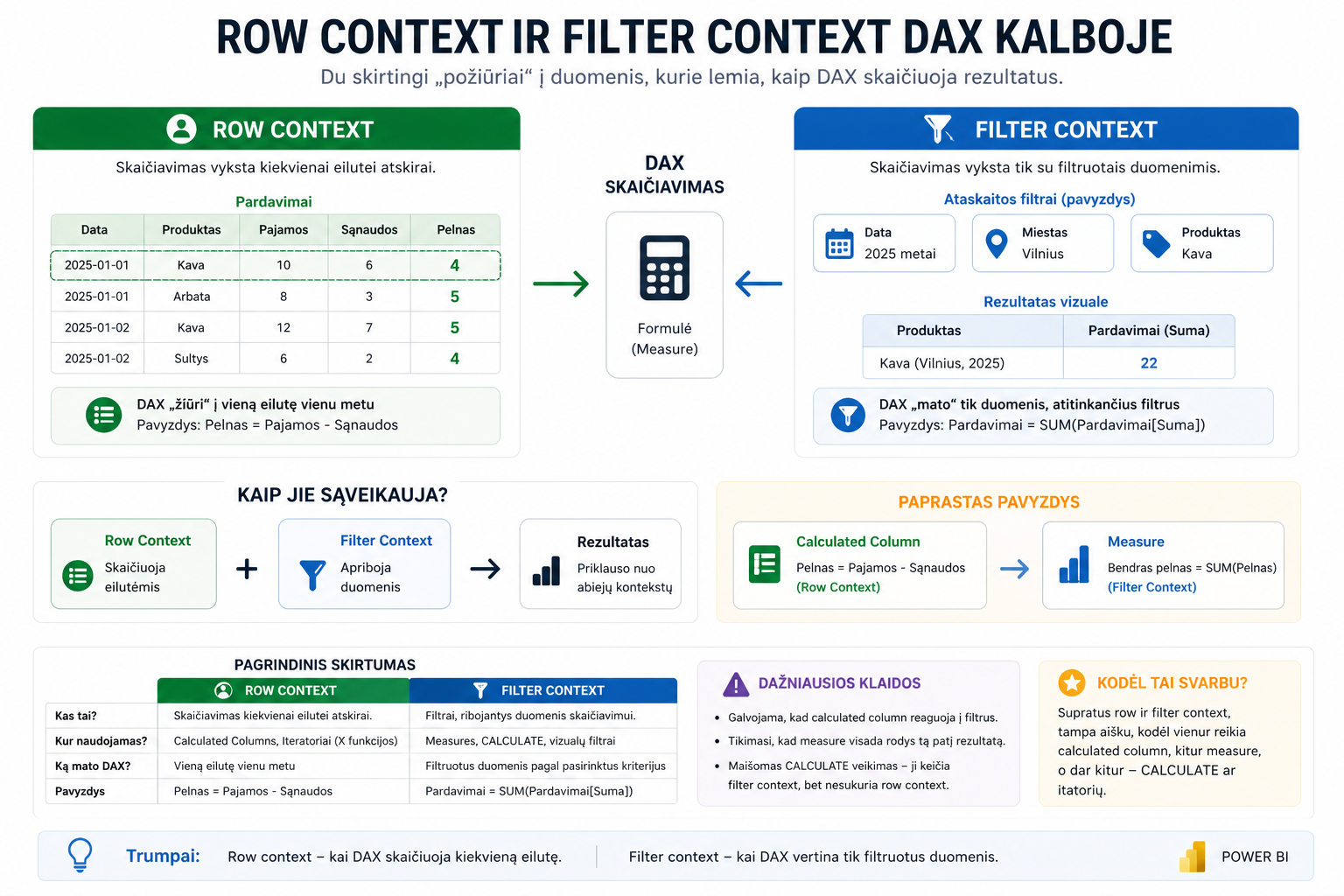
Row contextmeans that the calculation happens for each row separately.
Profit = Sales[Revenue] - Sales[Costs]
Row context is most often used in:
- calculated columns
- X functions (SUMX, COUNTX, etc.)
More on iterators:DAX X functions
What Filter context is
Filter contextdetermines which rows participate in the calculation.
Sales = SUM(Sales[Amount])
It comes from:
- slicers
- visuals
- filters
More on managing filters:ALL, REMOVEFILTERS and KEEPFILTERS
The main difference
- Row context– how to calculate
- Filter context– what to calculate

This comparison helps you clearly understand the difference between these contexts.
How they work together
In practice they often work together.
Total profit = SUM(Sales[Profit])
CALCULATE and changing context
CALCULATElets you change the filter context.
Sales in Vilnius =
CALCULATE(
    SUM(Sales[Amount]),
    Sales[City] = "Vilnius"
)
More:the DAX CALCULATE function
Common mistakes
- A calculated column is used instead of a measure
- The context isn’t understood
- CALCULATE is used incorrectly
- Row context = the row level
- Filter context = the data selection
- CALCULATE = changes the filters
What to read next
Conclusion
Row context and filter context are the foundation of all of DAX.
Once you understand these principles, Power BI calculations become clearer and predictable.
Power Query cheat sheet: automate your report
The key steps, the 5 common mistakes, and when automating is worth it.
- PDF · 2 pages, practical
- No spam — value only